
Easy Setup, Instant Streaming
We offer multiple ways to use our service. Select your preferred method below to view the setup guide!
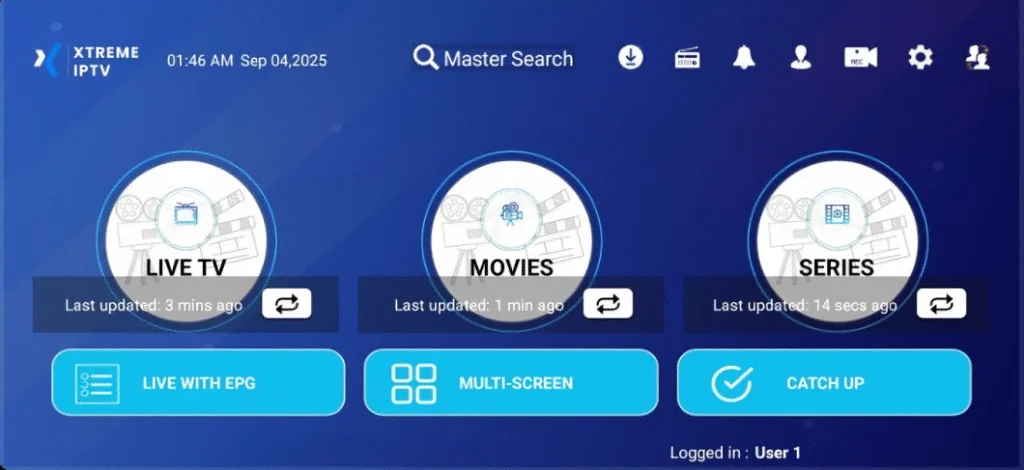
Explore Setup Options for All Devices
Browse our detailed guides for Fire TV, Android, iOS, TiviMate, MAG, and more. Each method is designed for fast, easy installation, ensuring a smooth streaming experience across all your favorite devices.
INSTALL Xtreme IPTV APP ON FIRESTICK/FIRE TV [Recommended]
1 Buy a Subscription & Create Account at checkout.
2 Go to Amazon appstore and download the “Downloader app”.
3 Go inside “Downloader app” and type this code: 6648461, You can also use URL http://aftv.news/6648461 to download the previous stable version of the app for Firestick. Additionally, you can explore the beta version of the app, currently under active development, via http://aftv.news/1776702
4 If app knocks out on back screen or home screen while watching TV, it’s recommended to uninstall Xtreme app and install the oldest best stable app. Go inside “Downloader app” and type this code: 1899389, You can also use URL http://aftv.news/1899389 to download, then install and issue will be fixed.
5 After Download and installation, open app and type username and password provided as credentials after successful purchase.
6 Good job! You have now access to our Firestick/FireTV App.
Android Device (Xtreme IPTV) [Recommended]
1 Buy a Subscription & Create Account at checkout.
2 Open url https://aftv.news/1776702 and wait for download, then install
3 Type your Username and Password that we have given you after a successful purchase.
4 Good job! You have now access to our Android App.
INSTALL Smarters Pro IPTV APP ON FIRESTICK/FIRE TV
1 Install Downloader: From the Firestick Home screen, go to Find > Search, type Downloader, install and open it. Allow any permission requests.
2 Download IPTV Smarters Pro: In Downloader’s URL field, carefully enter 78522, then click Go. If prompted, enable Install Unknown Apps for Downloader in settings.
3 Install & Delete APK: When the download finishes, select Install. After installation, choose Done and delete the APK file to save space.
4 Configure IPTV Smarters: Open the app, accept the Terms of Use, tap Add New User, select Xtream Codes API, enter your IPTV credentials, and start streaming.
PC/MAC (VLC Software) Watch IPTV on Your Computer & Laptop
1 Download VLC from: https://www.videolan.org/vlc/index.html
2 Open VLC Player
3 Go to Media -> Open Network stream
4 Add your Subscription M3U URL (Request from Live agent or Ticket if not available)
5 Wait till all the Channels load (this may take some time)
In case you are facing any issues with M3U loading, please contact our support team on Website Live Chat and they will help you set the subscription in your VLC.
6 Choose a Channel and enjoy the show
Alternative Apps:
- IPTV Smarters Pro (select Xtream codes API) Download: https://www.iptvsmarters.com/#downloads
- Kodi IPTV Player Download: https://kodi.tv/download
Apple (iPhone/iPad/Apple TV)
1 Buy a Subscription & Create Account at checkout.
2 Download & Install iOS App “Smarters player lite” on the App Store: https://apps.apple.com/us/app/smarters-player-lite/id1628995509
3 Type your Username and Password that we have given you automatically after a successful purchase.
4 Type Portal URL: http://kytv.xyz:25461 or http://kemo56ip.xyz
5 Good job! You have now access to iOS App.
Android (Smartphone, Android Box or Smart TV)
1 Download APK from link: aftv.news/1776702
Alternatively, Go to the play store and search for one of the recommended APPs Below:
- IPTV Smarters Pro (select Xtream codes API)
- DUPLEX play
- IBO Player
- Flix IPTV
- SET IPTV
- ELK Player
- Nanomid
- Smart IPV (Not really recommended)
- Smart STB (Not really recommended)
- STB Emu (Not really recommended)
Once you install one of these recommended APPs, You can use the subscription info that you received from us to log in.
In case you are facing any issues, please contact our support team on Live Chat and they will help you set the subscription in your APP.
Smart TV (Samsung & LG)
Setup instructions for a Samsung/LG Smart TV:
1 Search in your TV for one of the APPs below:
- IPTV Smarters Pro (select Xtream codes API)
- DUPLEX play
- IBO Player
- Flix IPTV
- SET IPTV
- ELK Player
- Nanomid
- Smart IPV (Not really recommended)
- Smart STB (Not really recommended)
- STB Emu (Not really recommended)
2 Also give try to apk direct download if possible (most cases not work): Download APK from link aftv.news/1776702
3 You can use the subscription info that you received from us to log in.
In case you are facing any issues, please contact our support team on Website Live Chat and they will help you set the subscription in your APP.
Using IPTV on TiviMate
1 Install TiviMate from the Google Play Store or official website
2 Open TiviMate and select “Add Playlist”
3 Choose “Xtream Codes API”
4 Enter your username, password, and portal URL (provided after purchase)
5 Customize your channel list and EPG settings
6 Enjoy your IPTV service with TiviMate’s premium interface
For M3U link or any additional setup guidance, please contact our support team via Live Chat or ticket system.

24/7 Live Chat Support, Instant Help Whenever You Need It
Our expert team is available around the clock to resolve any issues, get real-time answers via live chat, anytime, anywhere.